
Setup guide
Add one completion checkpoint.
Configure the deadline, place the FlowWitness action at the end, and verify one test order before going live.
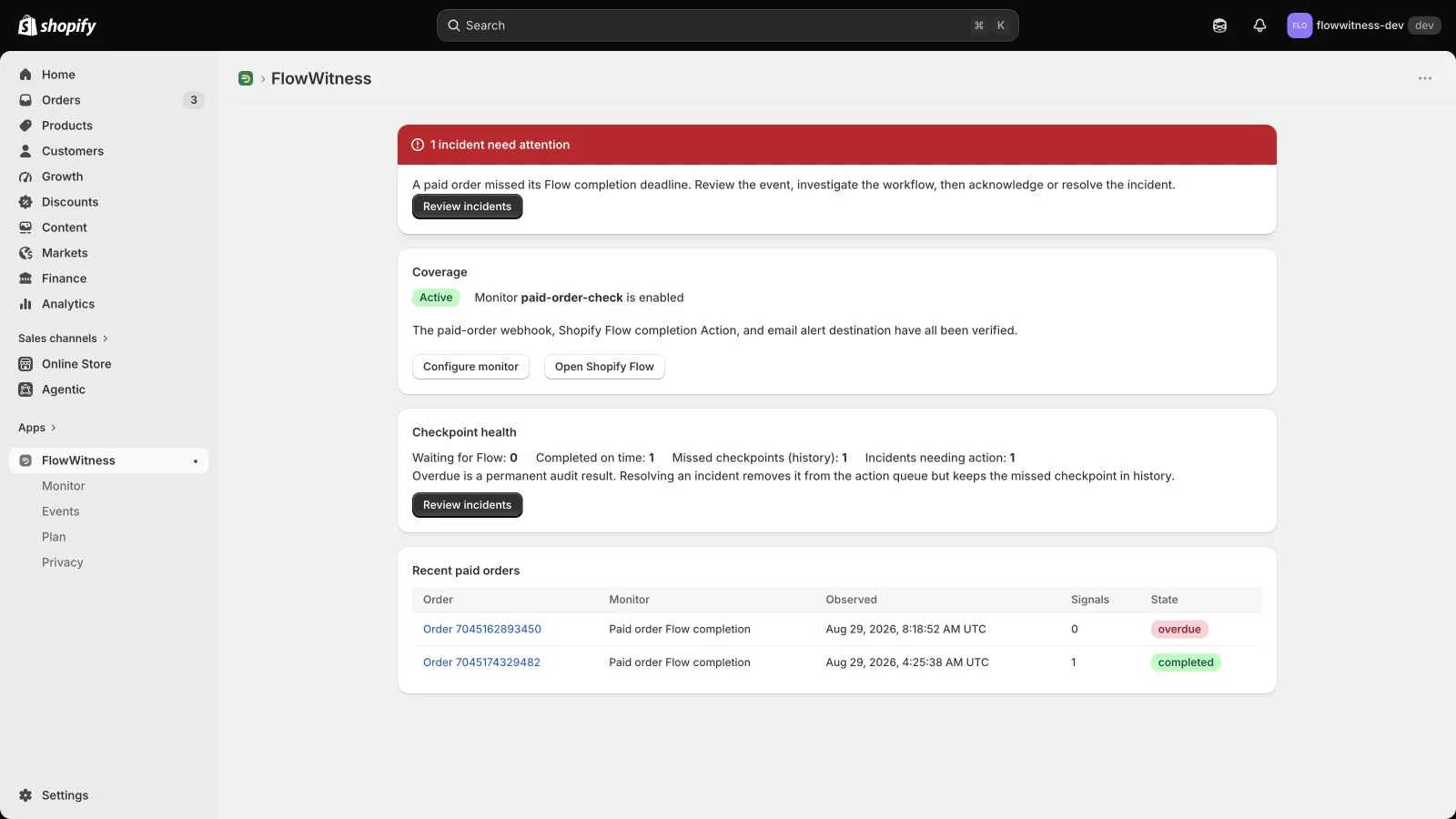
The full path in under one minute.
This recording uses a real Shopify development store and synthetic orders. No customer data appears in the video.
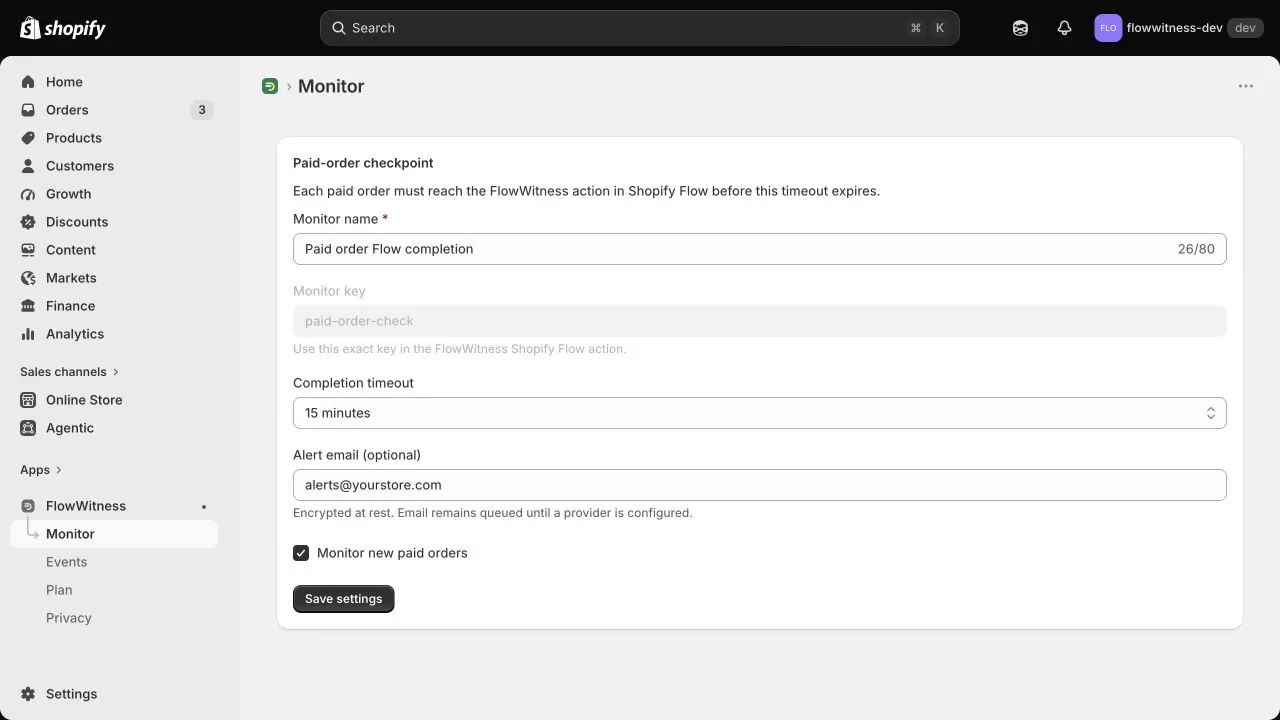
Configure the monitor.
Open Monitor inside FlowWitness. Choose the completion timeout, save the team alert address, and keep monitoring enabled for new paid orders.
The monitor key shown in the app links Shopify Flow actions to this checkpoint. Copy it exactly.
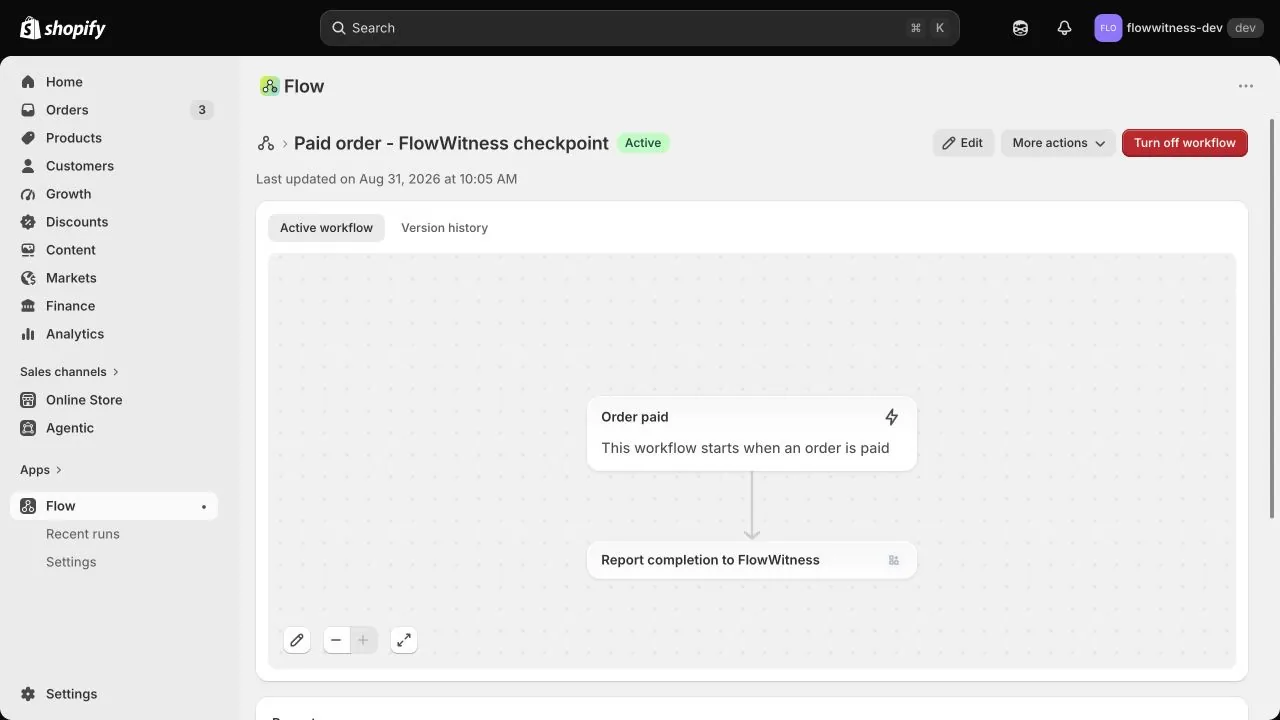
Put the action at the successful end.
In Shopify Flow, open the workflow that starts when an order is paid. Add Report completion to FlowWitness after the important work has finished. Add it to every branch that counts as successful.
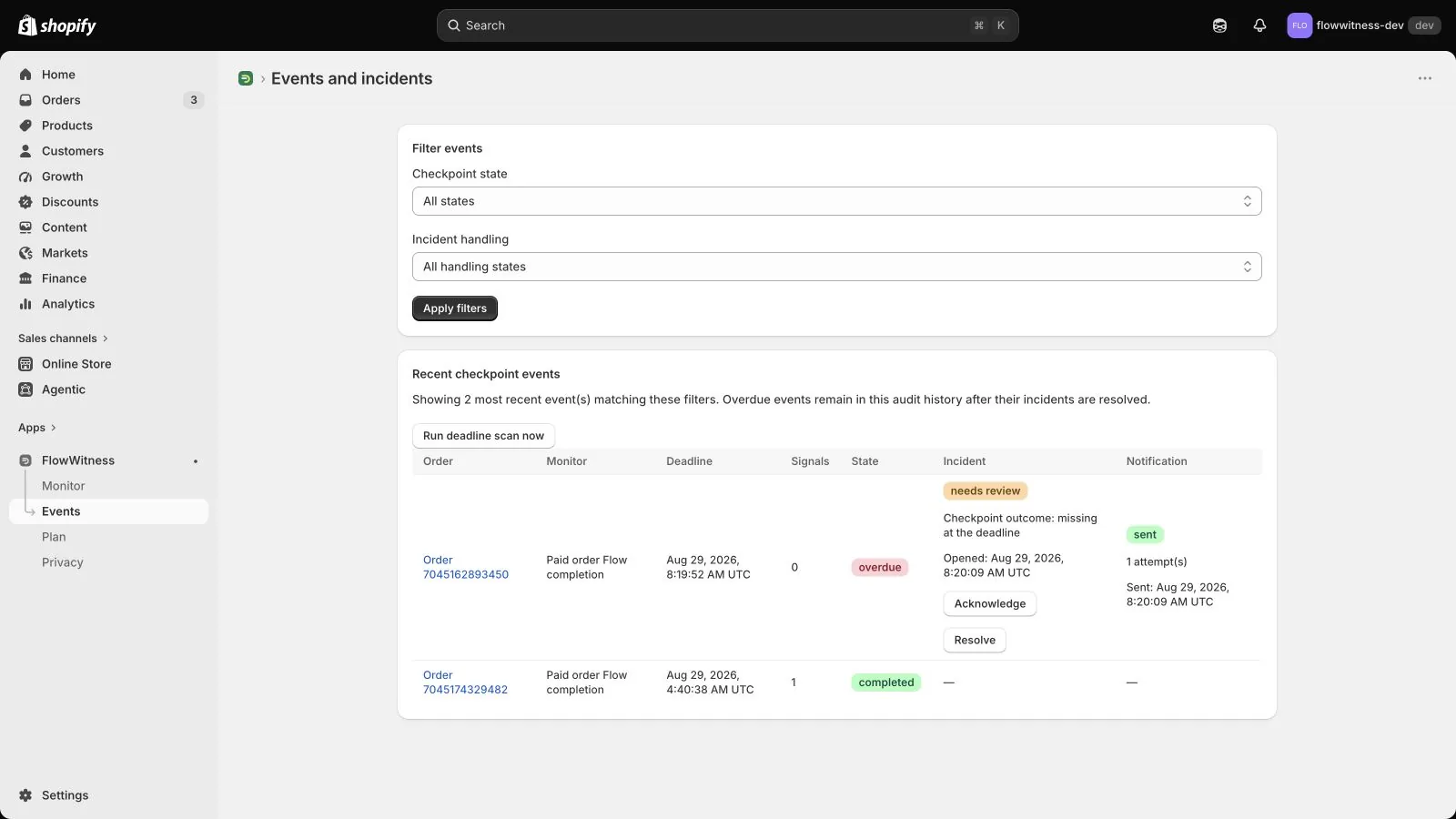
Verify one paid order.
Place a test order using a safe payment method for your store. After Shopify reports the payment, confirm that the matching event appears as completed with one completion signal.
If the action is missing, FlowWitness waits until the configured deadline, opens one incident, and emails the selected inbox.
Check these before relying on the alert.
Every successful branch reports completion
A branch without the FlowWitness action will be treated as a missed checkpoint even if its other actions succeeded.
The monitor key matches
The key inside Shopify Flow must match the value shown on the Monitor page.
The workflow and monitor are enabled
FlowWitness cannot observe an action from a disabled workflow or create expectations while monitoring is off.
The test reaches the real successful end
Test the same branches and external actions that matter in the production workflow.
Ready to verify one workflow?
Install the Free plan, complete the checklist, and contact us if a branch is unclear.