Completion monitoring for Shopify Flow

Catch paid-order workflows that do not finish.

Add a completion action to Shopify Flow. If it misses the deadline, FlowWitness emails your team with the order link.

Free plan available One alert per incident No customer contact data stored

Know whether the workflow reached its expected finish.

A trigger firing does not prove that every important step completed. FlowWitness waits for an explicit check-in from the successful end of the workflow and flags the order if it never arrives.

Completed

The checkpoint arrives on time

The order is marked complete in FlowWitness. No email is sent.

Overdue

The deadline passes without a check-in

FlowWitness opens one incident and sends one deduplicated email.

Late completed

The Flow checks in after the deadline

The late completion is recorded without deleting the original incident.

Add one completion action, then leave it running.

FlowWitness monitors one paid-order workflow per store.

1

Install FlowWitness

A paid-order webhook creates the expectation. The default deadline is 15 minutes.

2

Add the completion action

Put Report completion to FlowWitness at the end of every successful branch.

3

Choose the alert inbox

When the check-in is missing, the email includes the order link, deadline, and next steps.

Open the setup guide →

See the checkpoint beside the order history.

The Overview shows active coverage, checkpoint health, open incidents, and the affected Shopify order without copying its contents.

Watch the one-minute walkthrough →
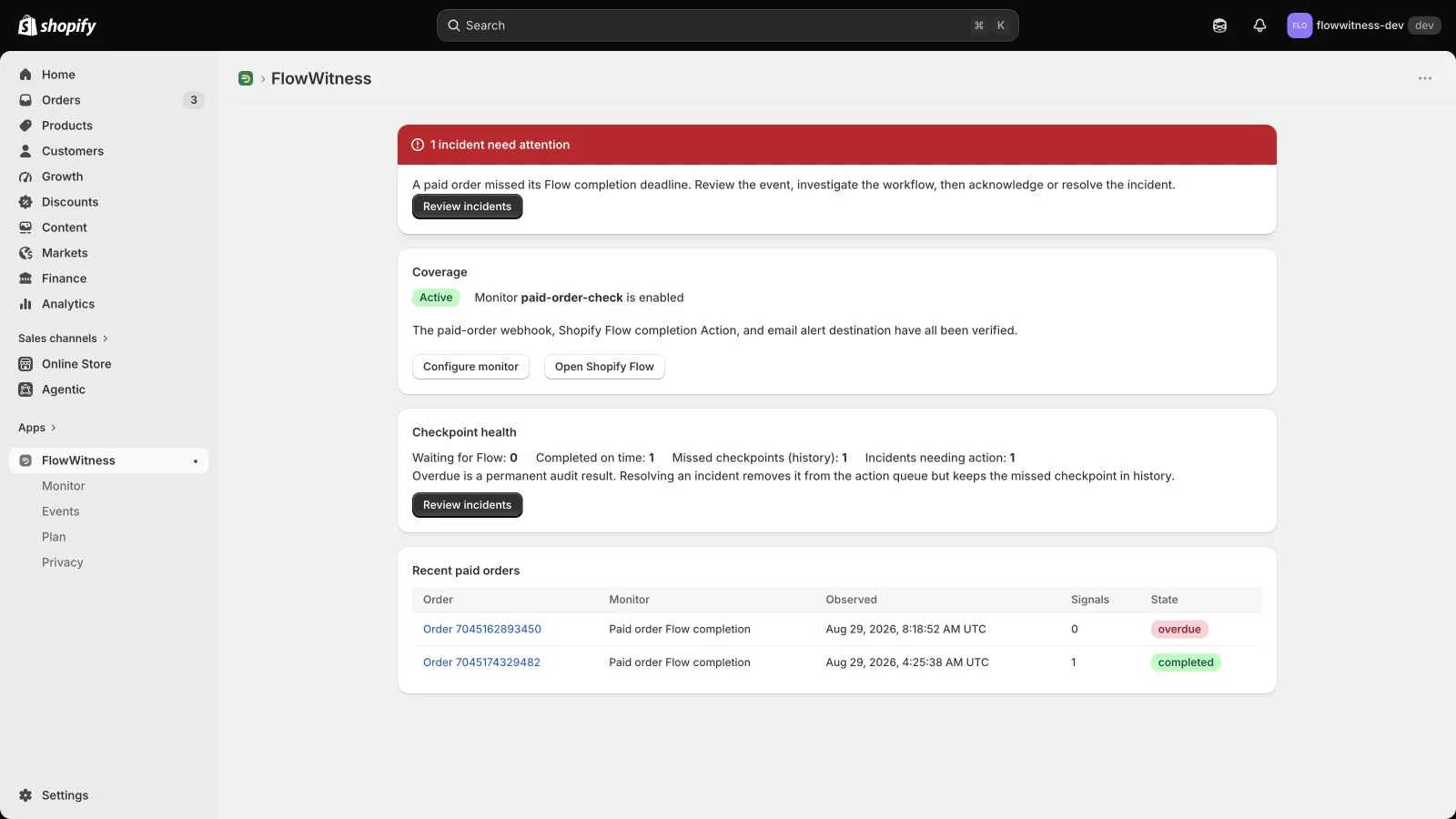
FlowWitness Overview in Shopify Admin showing active coverage and checkpoint health
A real Shopify development store using FlowWitness.

Data boundary

Enough data to prove the checkpoint. Nothing from the order body.

FlowWitness correlates IDs and timestamps. It does not build customer profiles or copy order details.

Read the privacy policy →

Stored

  • Shop domain and Shopify session
  • Order GID, order number, monitor key, and timestamps
  • Checkpoint, incident, and email status
  • Encrypted merchant alert address

Not stored

  • Customer name, email, phone, or address
  • Payment details or line items
  • Order contents or complete webhook payloads
  • Data for advertising or model training

Built around the failure cases that create noise.

Duplicate-safeWebhook and action retries do not create duplicate incidents.
Out-of-order safeEarly completion signals reconcile when the paid-order event arrives.
Retrying email outboxDelivery failures retry safely and remain visible for review.
Incident handlingAcknowledge and resolve without erasing late-completion evidence.

Monitor one paid-order workflow before the next silent miss.

Add the completion action to every successful branch, choose a deadline, and send one missed-checkpoint alert to your team inbox.